You can run ComfyUI on your own Runpod GPU without clicking through a console. Your agent does the setup through Runpod's official MCP server, and you approve the plan and the price. This guide gives you the six prompts we used on a real account, what happened when we ran them, and how to pick the right model file and the right card.
The example is LTX-2.5, a fast open video model that makes picture and sound together, on an RTX 4090. The 4090 is only an example. A bigger card costs more per hour, has more memory and runs larger models.
What you need
- Claude Code or Codex
- A Runpod account with some credit
- About 20 minutes the first time, and about a minute after that
You don't need a Hugging Face account. Prompt 4 uses public files.
Why run it yourself
This is private AI. There's no content filter in front of the model, the company that made it never sees your prompts, and the model isn't learning from you. The ComfyUI page loads no analytics SDK, and ComfyUI's code sets HF_HUB_DISABLE_TELEMETRY and DO_NOT_TRACK.
We checked. Here's the browser's network traffic during one render:
| Host | Requests | What for | Carried the prompt |
|---|---|---|---|
| Our pod | 627 | ComfyUI | Yes |
| api.comfy.org | 3 | Version check | No |
| Hugging Face | 3 | Model file check | No |
Here's what that doesn't cover:
- Your agent. What you tell your agent during setup goes to that agent's provider. Prompts typed into ComfyUI don't.
- The pod's own traffic. Our test covers the browser. We couldn't capture traffic leaving the pod, so we make no claim about it.
- Runpod. Runpod's terms say it doesn't actively monitor hosted content, but it may monitor its network, disclose records to satisfy the law, and use content in aggregated, anonymized form to improve its services.
- The rules. No company's filter decides what you can make, but the model's license, Runpod's terms and the law still apply. Runpod's terms ban obscene or otherwise objectionable content by its own judgment.
How the pieces fit
Your models run on your own Runpod GPU, your agent does the work, and Runpod's official MCP server connects the two. The server gives your agent real tools such as list-gpu-types, create-network-volume, create-pod and delete-pod. Runpod's skills come with it, so your agent already knows how ComfyUI runs on a pod.
The MCP server doesn't reach inside a pod. To install a model, your agent connects over SSH.
Step 1: Connect Runpod
Paste this into your agent. It reads Runpod's official setup page and installs the skills and the MCP server. Signing in is the one part it can't do.
Set up Runpod for this agent by following Runpod's official instructions at https://agents.runpod.io/. Tell me when it's my turn to sign in, then list my pods to confirm it works.
If you'd rather install it yourself, these are the commands from Runpod's setup page. In Claude Code, run these, then /reload-plugins, then sign in with /mcp:
claude plugin marketplace add runpod/runpod-plugins-official
claude plugin install runpod@runpod
In Codex:
codex plugin marketplace add https://github.com/runpod/runpod-plugins-official.git
codex plugin add runpod@runpod
Note
Runpod says not to also run codex mcp add after the plugin, because that makes a second entry with its own sign-in. In Codex Desktop, fully quit and reopen the app before the tools appear.
Step 2: Deploy ComfyUI
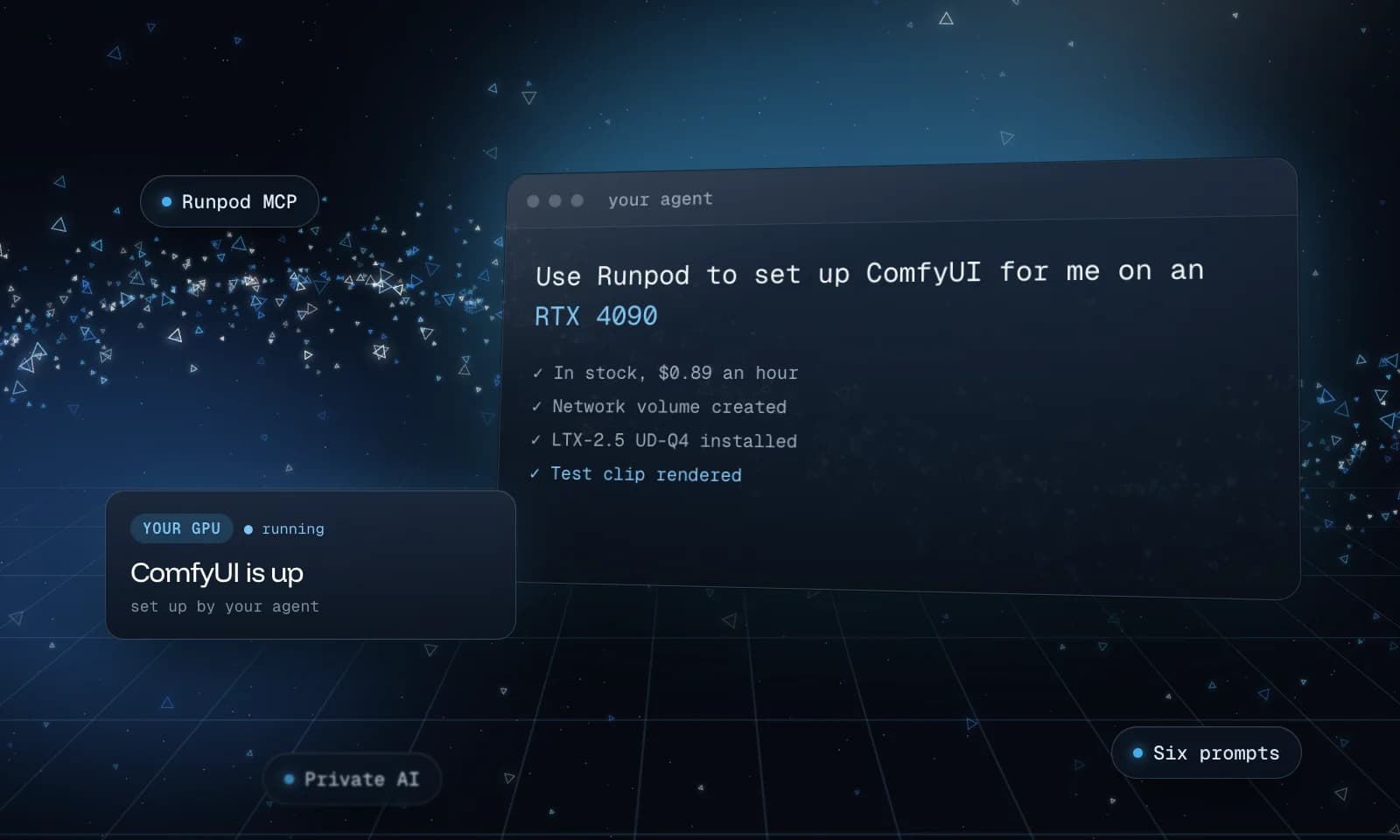
Use Runpod to set up ComfyUI for me on an RTX 4090. Find one that's in stock, create a 100 GB network volume in that same data center, then deploy Runpod's official ComfyUI template on it with SSH turned on. Show me the plan and the hourly price, and wait for my OK before you create anything. Give me the link once ComfyUI actually loads.
An RTX 4090 has 24 GB of video memory and cost $0.89 an hour on Secure Cloud when we ran this, billed by the second. Nothing gets created until you say OK. Stock moves fast: the data center in our plan sold out before we said yes, and our agent moved to another one at the same price. ComfyUI was up about two minutes later.
A network volume matters because a pod's own disk gets wiped when the pod stops. The volume is where your models, your ComfyUI install and your clips live, at $0.07 per GB per month. The pod comes and goes, and the volume stays.
Turning SSH on only works if Runpod has a public key for you. Our account had none registered, so the agent passed a key from our machine and said so in its plan.
Heads up
The ComfyUI link is public, with no login. Anyone who has it can use your GPU, so keep it to yourself.
Heads up
The template can also open FileBrowser, which ships with a default login anyone can look up, and JupyterLab. Our agent left both closed because we didn't ask for them. If you open FileBrowser, change its password first.
Choose a quantization
The full LTX-2.5 model is 42 GB, and that won't fit on a 24 GB card. A model is billions of numbers, and the full version stores each one in 16 bits. Quantizing rounds them to fewer bits, so the file shrinks and you give up some accuracy, like saving a photo at a lower quality.
Read the file name
- Q is the level, roughly the bits per number. Q8 uses about 8, Q4 about 5 and Q2 about 3.
- K is the standard family of GGUF quantization.
- M means medium, a mix of precision across the model.
- UD is Unsloth Dynamic. Instead of one setting for the whole model, Unsloth measured which layers are most sensitive and gave those more bits. UD Q4 is less than half a gigabyte bigger than plain Q4, and it scores like a Q5 that's over a gigabyte and a half bigger.
Compare the files
The scores come from Unsloth's model card and measure each file against the full model. LPIPS is how different it looks to the eye, so lower is better. PSNR measures pixel accuracy, so higher is better. The last column is what happened on our RTX 4090 at 1280 by 704.
| Distilled file | Size | Bits | LPIPS | PSNR | On our 24 GB card |
|---|---|---|---|---|---|
| Q2_K | 8.46 GB | 3.22 | 0.567 | 14.8 | Ran, but looks rough and mangled the hand |
| Q4_K_M | 13.58 GB | 5.17 | 0.352 | 18.1 | Not tested |
| UD-Q4_K_XL | 14.00 GB | 5.33 | 0.320 | 19.4 | Our pick. Never failed, about a minute a clip |
| Q5_K_M | 15.63 GB | 5.95 | 0.316 | 18.9 | Not tested |
| UD-Q5_K_XL | 16.00 GB | 6.09 | 0.296 | 20.3 | Ran clean |
| Q6_K | 17.81 GB | 6.78 | 0.274 | 20.4 | Not tested |
| Q8_0 | 22.78 GB | 8.68 | 0.242 | 21.6 | Out of memory on the first try, worked on a retry |
| BF16 | 42.03 GB | 16.01 | Lossless | Lossless | Doesn't fit |
The same prompt and seed won't land on the same image across these files. Changing the numbers changes the result, so compare them for quality and don't expect the same shot.
Dev or distilled
Dev is the standard version, at 30 steps. Distilled is trained to get there in about 11, so it's roughly three times faster at the same file size. Start with distilled.
How to choose
Take the file size, add a few gigabytes for everything else, and it should fit in your video memory. On a 4090, that points to Q4 or Q5.
- Video memory. UD Q4 peaked at 23.3 to 23.9 GB of 24, and UD Q5 at 22.9. Peaks stayed near the top whichever file we ran, so a clean peak doesn't mean there's room to spare. Q8 is too tight to rely on.
- System memory. It peaked at about 43 GB with UD Q4 and 52 GB with UD Q5, because the text encoder alone is 26 GB. Our pod had over 100 GB.
- Headroom. Runpod's LTX-2.5 guide calls 16 to 24 GB the entry tier and suggests 48 GB for comfortable use.
Choose a card
We only tested the 4090, so the last column is worked out from memory size, not measured. These are Runpod's Secure Cloud rates from October 31, 2026, and prices and stock change. Network volumes need Secure Cloud, so the cheaper Community rates don't apply here.
| Card | Video memory | Per hour | What it should run |
|---|---|---|---|
| RTX 4090 | 24 GB | $0.89 | UD Q4, tested |
| RTX 5090 | 32 GB | $1.19 | Q8 with some room |
| L40 | 48 GB | $0.82 | Q8 comfortably |
| RTX PRO 5000 | 48 GB | $0.96 | Q8 comfortably |
| RTX 6000 Ada | 48 GB | $0.99 | Q8 comfortably |
| H100 NVL | 94 GB | $3.19 | The full 42 GB model |
| RTX PRO 6000 | 96 GB | $2.49 | The full 42 GB model with room to spare |
To use another card, swap its name in Prompt 2. If you're not sure which file fits, ask your agent. It reads the model card, checks your GPU and tells you what fits.
I want to run LTX-2.5 on this GPU. Read the model card for unsloth/LTX-2.5-GGUF, compare the quantizations that fit in this GPU's memory with room for the text encoder and VAE, and recommend one. Tell me the file size and what I'd give up compared with the full model.
Step 3: Install the model
Your agent connects over SSH, updates ComfyUI, puts each file in the right folder and renders a test clip to prove it all works. Ours took about 13 minutes. Without the Unsloth line, our agent reached for the official Lightricks files, which sit behind a login, and stopped.
Install the quantization you recommended on my network volume. Use the public files from unsloth/LTX-2.5-GGUF for everything, including the text encoder, VAEs and upscaler, so no login is needed. Update ComfyUI if it's too old for LTX-2.5, install the custom node it needs, and keep all of it on the network volume so it survives a new pod. Render a short test clip through ComfyUI and show it to me, then save the working workflow in ComfyUI's sidebar so I can open it myself.
Step 4: Render in ComfyUI
Open the link, open your workflows and click the one your agent saved. Four settings matter:
| Setting | What it does |
|---|---|
| Prompt | What to make |
| Duration | Length in seconds |
| Megapixels | The size. 0.5 is a fast preview, and 0.9 is about 1280 wide |
| Seed | The randomness. Keep it and change one word to compare, or change it for a new take |
Inside, the workflow renders twice: a fast pass at half size, an upscaler, then a short second pass to sharpen it. That's a big part of why it's fast.
Write your prompt like a shot description. Say what's in the frame, what moves, the light and the camera, then describe the sound. This is the one we used for the robot clips:
A small orange robot with round glowing eyes rolls slowly across a sunlit workshop bench, then looks up at the camera and gives a little wave. Warm morning light through a window, dust floating in the air, soft cinematic depth of field. Gentle mechanical whirring and quiet birdsong outside.
LTX takes your sound words literally. Quiet birdsong gave us a clip that was almost silent, about 42 dB down, and a loud drum solo came out at full level.
What it costs
| Item | Our cost |
|---|---|
| This pod, with its disk and the volume | About $0.92 an hour |
| One five-second clip | Under two cents, at about a minute a clip |
| First render on a new pod | About three minutes while the model loads |
| Pod left idle overnight | $7.36 for 8 hours |
| 100 GB network volume | About $7 a month |
The meter runs while the pod sits idle, so shut it down when you're done.
Step 5: Shut it down
I'm done for today. Terminate my ComfyUI pod, keep the network volume, and show me anything that's still billing.
The pod goes away and the GPU stops billing. Your models stay on the network volume.
Step 6: Next time
Bring ComfyUI back on my network volume, tell me the hourly price, and give me the link.
Ours was back in about a minute, with ComfyUI, the model and the workflow all still there. Your storage lives in one data center, so if that card is sold out there, you wait or choose another card.
When it breaks
You don't need to know the fix. Tell your agent what you saw, and ask it to check before it changes anything.
| If you see | Tell your agent |
|---|---|
| A download needs a login | Use public files. If you need a gated file, add a token yourself and never paste it into chat |
| A workflow won't load | ComfyUI is probably too old, so update it |
| A card is sold out | Try another data center or another card |
| Out of memory | Drop one quantization level or lower the size |
How we tested this
We ran all six prompts on a live Runpod account on October 31, 2026, and the numbers here come from that run. Two prompts were changed after it. Prompt 4 combines three passes, because we added a line each time the agent stopped. Prompt 6 now asks for the price first, because our agent created the pod before telling us the price. Neither final version has run as one clean pass, so read your agent's plan before you approve it.
License and rules
LTX-2.5 uses the LTX-2.x Community License, and the terms are worth reading before you publish anything. This is a short summary, not legal advice:
- It's free to use if your entity makes under $10 million a year. At or above that, you need a paid license for commercial use.
- Its restrictions and acceptable use policy bar breaking the law, harming minors and deepfakes of people without their consent.
- It can require you to say a clip is machine-generated.
Running a model yourself doesn't change any of that. Runpod's terms and privacy policy apply to your pod too.
Keep going
Want to do it by hand? Run open-weight AI video models on Runpod covers the same setup in the console, and Keep your Runpod bill down when making AI video has more ways to spend less per clip.